
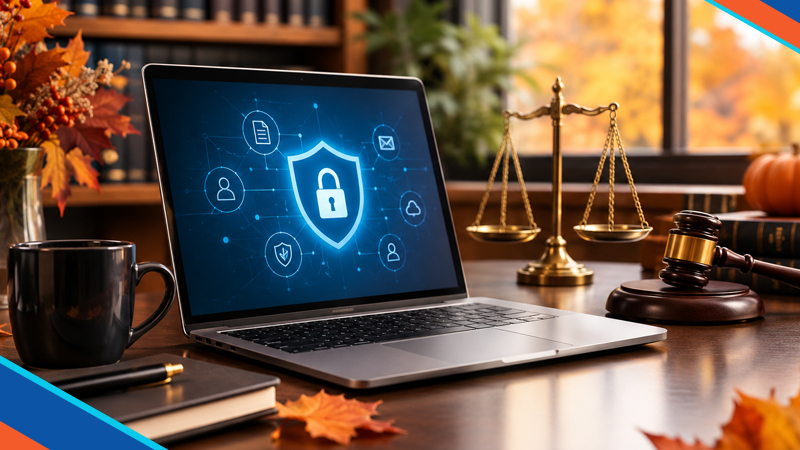
Law Firm Data Security: Don’t Let Client Data Fall Into the Wrong Hands
Fall is a season of change, but one thing that should never change is your commitment to protecting confidential client information. As law firms prepare for year-end deadlines, new cases, and an increasingly digital workplace, cybercriminals are looking for opportunities to exploit security weaknesses.
From sensitive financial records to confidential case files, attorneys handle information that hackers would love to get their hands on. Strong law firm data security isn’t just an IT priority. It’s essential to protecting your clients, your reputation and your practice.
Here are answers to the most important questions law firms should be asking about cybersecurity this fall.
1. Why Are Law Firms Such Attractive Targets for Hackers?
Law firms are treasure troves of sensitive information. Client identities, financial transactions, business contracts, litigation strategies and confidential communications make legal practices particularly appealing to cybercriminals.
Unlike large corporations with extensive security teams, smaller law firms may operate with limited IT resources. Hackers know this and frequently exploit outdated software, weak passwords and unprotected email accounts.
One successful attack can compromise years of confidential information and seriously damage client trust.
2. What Are the Biggest Cybersecurity Threats Facing Law Firms?
Several threats deserve special attention as the year winds down:
- Phishing attacks: Fraudulent emails designed to steal passwords or trick employees into transferring money.
- Ransomware: Malicious software that encrypts case files and demands payment for their release.
- Business email compromise: Criminals impersonating attorneys, clients, or vendors to redirect payments.
- Unauthorized access: Weak credentials and excessive permissions exposing confidential documents.
- Outdated technology: Unsupported systems creating vulnerabilities that hackers can exploit.
Understanding these risks is the first step toward building stronger defenses.
3. How Can Law Firms Secure Confidential Client Files?
Protecting client documents requires more than password-protected folders. Firms should use encrypted storage, secure document-sharing platforms, and strict access controls.
Attorneys and staff should only access the information necessary for their responsibilities. Multi-factor authentication adds another important layer of protection.
Implementing professional IT support and security solutions can help firms establish safer systems for handling confidential information.
The goal is simple: secure legal data without slowing down everyday operations.
4. Is Email Safe for Sharing Sensitive Legal Documents?
Standard email isn’t always the safest way to exchange confidential information, especially when messages contain financial records, personal identifiers or privileged communications.
Law firms should consider encrypted email solutions, secure client portals and protected file-sharing services.
Employees should also verify unexpected requests involving wire transfers, account changes or confidential attachments through a trusted secondary communication channel.
A quick phone call could prevent a costly mistake.
5. How Often Should Law Firms Back Up Their Data?
Ideally, critical legal documents should be backed up automatically and frequently, with schedules based on how much information the firm can afford to lose.
Backups should be encrypted, protected from unauthorized modification and stored separately from primary systems. At least one backup copy should be offline or otherwise isolated from ransomware.
Just as important? Regularly testing restoration procedures.
A backup that cannot be restored when needed offers little protection during an emergency.
6. Can Remote Work Put Client Confidentiality at Risk?
Absolutely. Attorneys frequently work from home, courthouses, hotels and client locations. Each environment introduces potential security risks.
Law firms should require secure remote connections, managed devices, multi-factor authentication and updated endpoint protection.
Public WiFi, personal computers and unsecured file-sharing applications can create unnecessary exposure.
Reliable managed IT services can help support secure access while keeping attorneys productive wherever they work.
7. What Should Law Firms Include in a Fall Cybersecurity Checklist?
Before the busy holiday season arrives, give your technology a thorough security checkup:
- Review employee access permissions and remove inactive accounts.
- Install outstanding software and security updates.
- Verify that backups are running and restoration tests succeed.
- Conduct phishing awareness training.
- Review cybersecurity policies and incident response procedures.
- Evaluate third-party vendors handling confidential client information.
Think of it as fall maintenance for your firm’s digital infrastructure. Addressing small vulnerabilities now can help prevent major problems later.
8. How Can Microtime Help Protect Your Law Firm?
Your attorneys should be focused on winning cases and serving clients, not worrying about cyberattacks.
Our team helps businesses strengthen their technology environments through proactive IT management, cybersecurity planning, data protection, and ongoing technical support.
Whether your firm needs stronger email security, more reliable backups, safer remote access, or a comprehensive technology assessment, our experts can help identify vulnerabilities and implement practical solutions.
Protect Your Clients. Protect Your Practice. Start This Fall.
Leaves may be falling, but your cybersecurity standards shouldn’t.
Make this season the time your law firm strengthens its defenses, protects confidential information and prepares for a more secure year ahead.
Ready to improve your law firm data security? Contact us today to discuss how we can help safeguard your clients, your files and your firm’s future.